Create Better User Experiences
Add modern, intuitive navigation with flexible layouts and custom color schemes. Eliminate clunky switchboards and embed a Google-like instant search box directly into your forms without writing a line of VBA.

Reclaim dozens of development hours. UI Builder delivers the polished UI, security, and integration features Microsoft Access should have out of the box. Trusted by small organizations, government agencies, and Fortune 500 corporations worldwide.
Add modern, intuitive navigation with flexible layouts and custom color schemes. Eliminate clunky switchboards and embed a Google-like instant search box directly into your forms without writing a line of VBA.
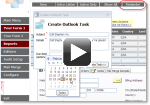
Deploy advanced workflows that normally require days of development and debugging. Assign any button to execute one of 26+ pre-configured menu actions, sync tasks with Outlook, or build mail-merges effortlessly.
Review the complete feature list → Click to enlarge
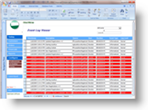
Capture run-time errors via centralized event and error logging, automatically relink backend tables, and provide users with a clean, searchable directory of forms, reports, and queries.
Universal Compatibility: Works seamlessly across modern Microsoft 365, Access 2019, 2016, 2013, and legacy databases.
 Click to enlarge
We respect your privacy and will never share your contact information (Privacy Policy).
Microsoft 365 Access, Access 2019, Access 2016, Access 2013, Access 2010, Access 2007, Access 2003, and Access 2000 (32-bit and 64-bit editions supported).
Microsoft and the Office logo are trademarks or registered trademarks of Microsoft Corporation in the United States and/or other countries.
Need report generation, visual dashboards, or table schema builders? Discover our full lineup of no-code and low-code database add-ins.
Browse the Microsoft Access Product Catalog →
 |
Copyright © 2017 OpenGate Software Inc. All Rights Reserved.
|
 |